
Template Quality Rating & Smart Variant Selection
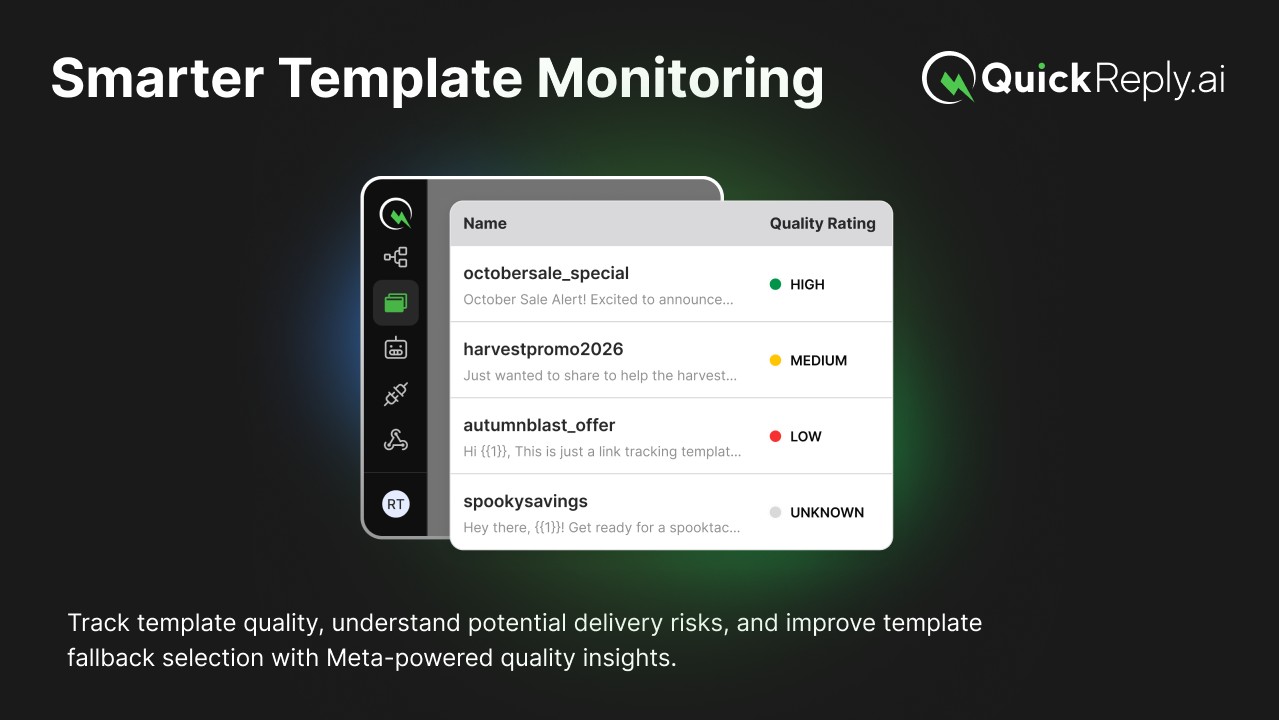
1. What’s New! You can now see the quality rating of your WhatsApp templates inside QuickReply. Each template will show one of these labels: HIGH MEDIUM LOW UNKNOWN This helps you know which templates are performing well and which ones may be at risk of being paused by Meta. If your primary template gets paused, QuickReply will also use this rating to automatically pick the best available variant. 2. How It Works A new Quality Rating column will be added to the WhatsApp template screen. The rating will appear with a colour indicator and an info icon explaining what it means. For template variants, the fallback order will be: HIGH → MEDIUM → LOW → UNKNOWN Only approved and active templates will be selected. Paused, disabled, rejected, or in-review templates will not be picked. If multiple templates have the same rating: HIGH: Pick the oldest template MEDIUM: Pick the oldest template LOW: Pick the latest template UNKNOWN: Use existing logic 3. Why It Matters This helps users: Choose safer templates Avoid low-quality templates Reduce campaign failures Keep broadcasts and journeys running smoothly Take action before a template gets paused Quality rating comes from Meta. Users cannot manually change it inside QuickReply. If no rating data is available, the template will be marked UNKNOWN. If all variants are UNKNOWN, the current fallback logic will continue. LOW-rated templates should be reviewed before running important campaigns.
How do you feel about this update?